
ArgoCD + Okta Integration (OIDC) Step-by-Step
Learn how to configure ArgoCD Okta SSO Integration using OpenID Connect (OIDC). This step-by-step guide covers Okta application setup, ArgoCD configuration, redirect URI settings, troubleshooting, and secure authentication for Kubernetes GitOps environments.
OIDC is the recommended way to integrate Okta with ArgoCD for SSO authentication. ArgoCD directly supports OIDC without Dex.
Architecture
User
  ↓
Okta Login
  ↓
OIDC Authentication
  ↓
ArgoCD
  ↓
Kubernetes Cluster
Step 1: Create Okta OIDC Application
- Login to your Okta Admin Console.
- Navigate:
Applications → Applications
- Click:
Create App Integration
Select:
OIDC - OpenID Connect
Web Application
- Configure:
Sign-in Redirect URI
https://argocd.yourdomain.com/auth/callbackSign-out Redirect URI
https://argocd.yourdomain.com
Replace with your ArgoCD URL.
- Save the application.
- Copy:
Client ID
Client Secret
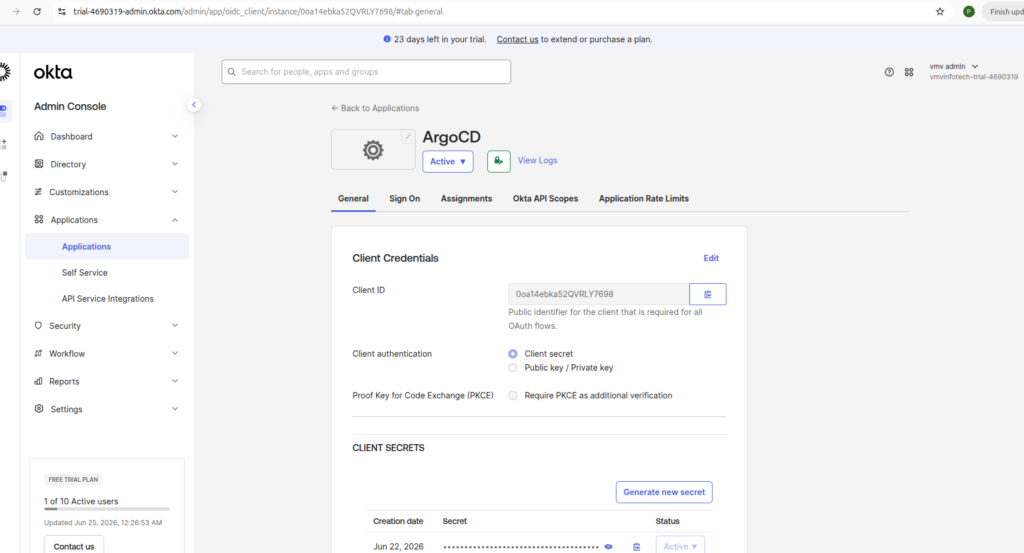
Step 2: Issuer URL
Okta :
Security → API → Authorization Servers
open the Default authorization server .
note down this URL
kubectl edit cm argocd-cm -n argocd
add below content
data:
url: https://localhost:9090
oidc.config: |
name: Okta
issuer: <YOUR_ISSUER_URL>
clientID: <YOUR_CLIENT_ID>
clientSecret: $oidc.okta.clientSecret
requestedScopes:
- openid
- profile
- groups
kubectl edit secret argocd-secret -n argocd
add the client secrete
kubectl patch secret argocd-secret -n argocd \
--type merge \
-p '{"stringData":{"oidc.okta.clientSecret":"YOUR_CLIENT_SECRET"}}'
Step 3: Open ArgoCD UI
kubectl port-forward svc/argocd-server -n argocd 9999:443
then,open browser
https://localhost:9999
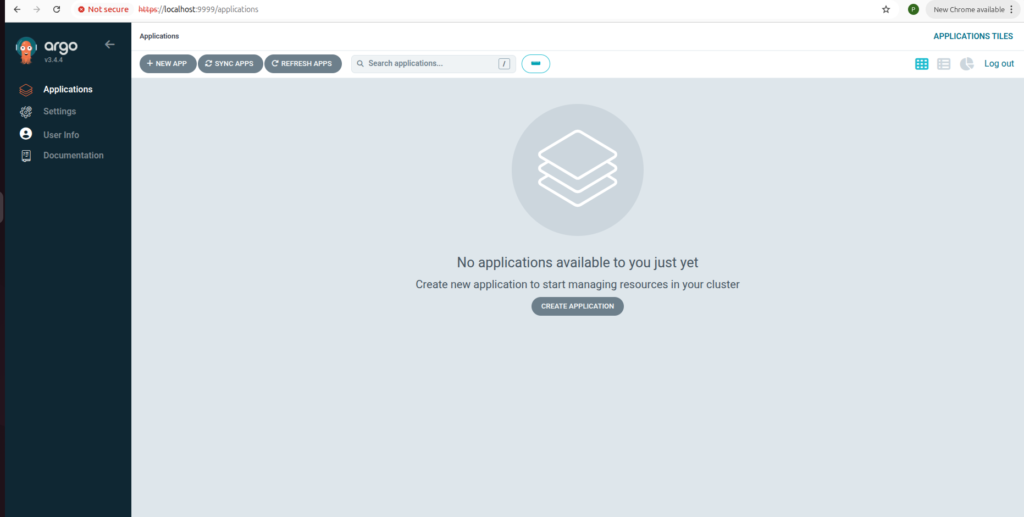
Step 4: Search password
kubectl -n argocd get secret argocd-initial-admin-secret \
-o jsonpath="{.data.password}" | base64 -d && echo
Login:
Username: admin
Password: <command output>
Step 5: Okta SSO Configure
kubectl edit secret argocd-secret -n argocd
kubectl edit cm argocd-cm -n argocd
kubectl edit cm argocd-rbac-cm -n argocd
this command use to octa login enable
Step 6: Edit files
kubectl edit cm argocd-cm -n argocd
write this file
data:
url: https://localhost:9999
oidc.config: |
name: Okta
issuer: <YOUR_ISSUER_URL>
clientID: <YOUR_CLIENT_ID>
clientSecret: $oidc.okta.clientSecret
requestedScopes:
- openid
- profile
- groups
add client secret in
kubectl edit secret argocd-secret -n argocd
YOUR_CLIENT_SECRET replace to octa client secrete
kubectl patch secret argocd-secret -n argocd \
--type merge \
-p '{"stringData":{"oidc.okta.clientSecret":"YOUR_CLIENT_SECRET"}}'
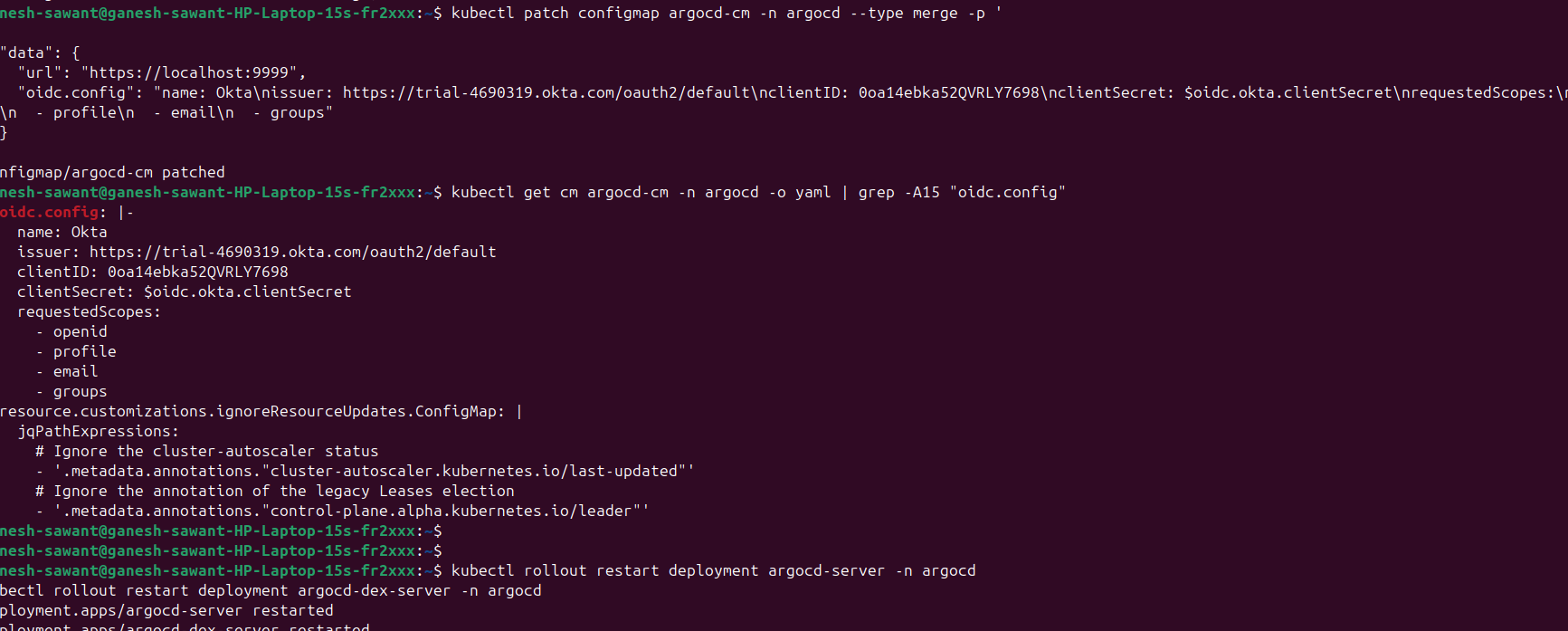
check the below Redirect URI
https://localhost:9090/auth/callback
kubectl rollout restart deployment argocd-server -n argocd
kubectl rollout restart deployment argocd-dex-server -n argocd
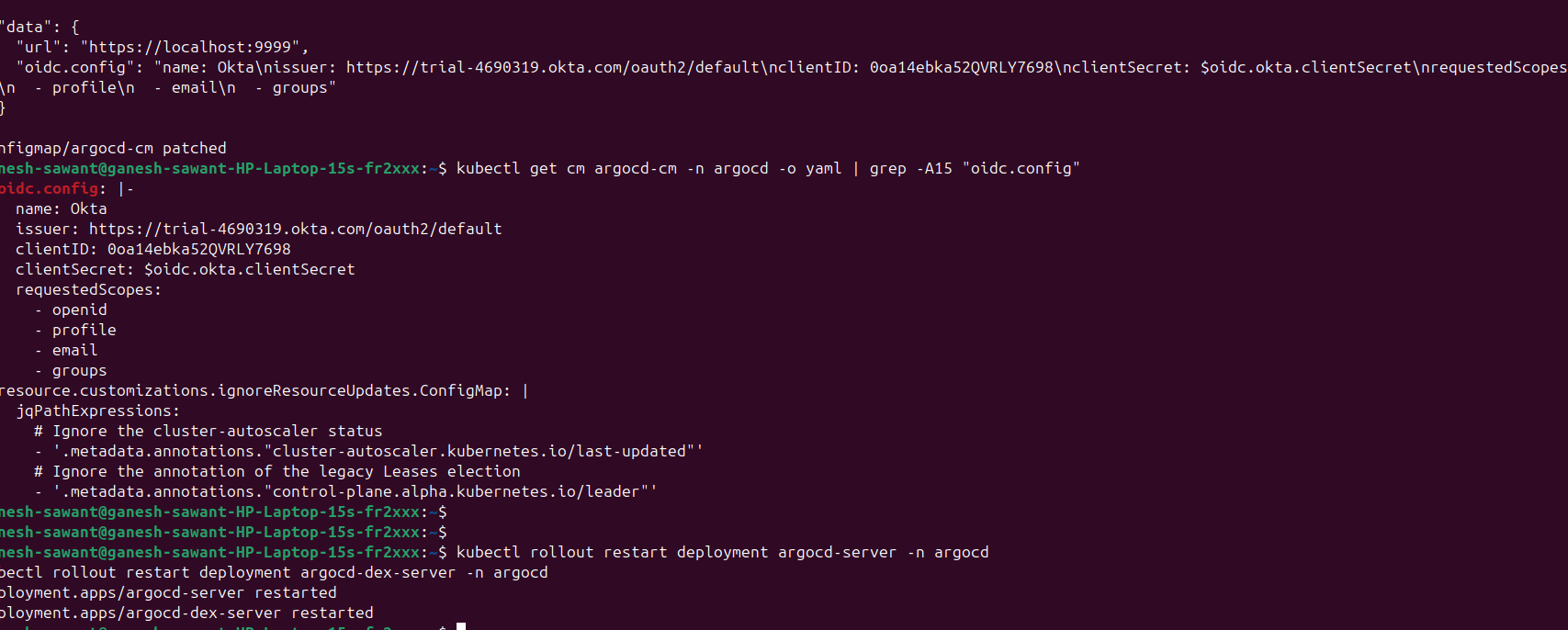
Restart the Argocd pods,
kubectl rollout restart deployment argocd-server -n argocd
kubectl rollout restart deployment argocd-dex-server -n argocd
Then open
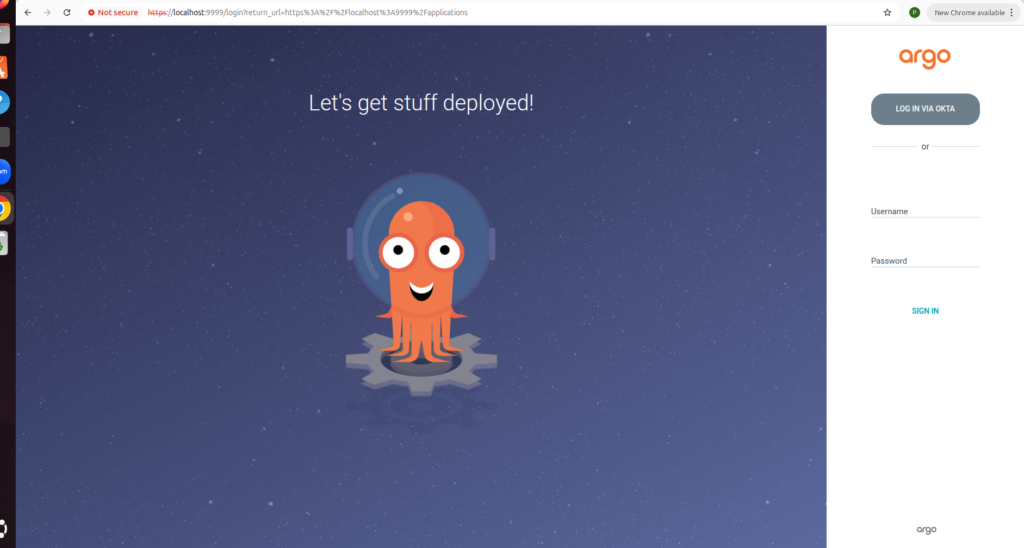
https://localhost:9999
Shows Login via Octa Button in ArgoCD Dashboard
Why Use ArgoCD Okta Integration?
ArgoCD Okta Integration is one of the best ways to secure your GitOps environment by enabling Single Sign-On (SSO) authentication. Instead of managing separate ArgoCD credentials for every user, organizations can authenticate users through Okta using the OpenID Connect (OIDC) protocol. This improves security, simplifies user management, and provides a seamless login experience for developers, DevOps engineers, and platform administrators.
By implementing ArgoCD Okta Integration, administrators can centralize identity management, enforce organizational security policies, and integrate Role-Based Access Control (RBAC) with existing user groups. This approach reduces the risk of unauthorized access while making onboarding and offboarding users much easier.
Whether you are managing a small Kubernetes cluster or a large enterprise environment, ArgoCD Okta Integration provides a scalable and secure authentication solution. Following the configuration steps in this guide ensures that your ArgoCD instance is protected with enterprise-grade authentication while delivering a smooth and reliable user experience.
Benefits of ArgoCD Okta Integration
ArgoCD Okta Integration provides a secure and scalable authentication solution for organizations using GitOps with Kubernetes. By integrating ArgoCD with Okta through the OpenID Connect (OIDC) protocol, users can log in using their existing enterprise credentials instead of managing separate ArgoCD accounts.
One of the biggest advantages of ArgoCD Okta Integration is centralized identity management. Administrators can control user access from Okta, apply Role-Based Access Control (RBAC), and simplify user onboarding and offboarding. This improves security while reducing administrative overhead.
Another important benefit of ArgoCD Okta Integration is enhanced compliance and auditing. Every login request is authenticated through Okta, making it easier to enforce security policies and monitor user activity. This approach is ideal for development, staging, and production Kubernetes environments where secure authentication is essential.
By following the steps in this guide, you can successfully configure ArgoCD Okta Integration, enable Single Sign-On (SSO), and provide a secure login experience for your DevOps teams. This integration helps organizations improve security, streamline access management, and simplify Kubernetes application deployment through ArgoCD.
Conclusion:
Integrating ArgoCD with Okta enables secure Single Sign-On (SSO) authentication using the OpenID Connect (OIDC) protocol. By configuring Okta as the identity provider, storing the client secret securely in Kubernetes, updating the ArgoCD configuration, and configuring the correct redirect URI, users can authenticate with their existing Okta credentials instead of relying on local ArgoCD accounts.
This integration improves security by centralizing user authentication, simplifies user management, and provides a better login experience for developers and DevOps teams. It also makes it easier to enforce organizational access policies, enable role-based access control (RBAC), and integrate ArgoCD into enterprise identity management systems.
With Okta SSO successfully configured, ArgoCD becomes a more secure and scalable GitOps platform for managing Kubernetes applications across development, staging, and production environments.

- How to Create a Server on AWS – Step-by-Step Guide for Beginners - September 2, 2026
- Helm GitOps Integration: A Complete Step-by-Step Guide for Beginners - August 6, 2026
- DevOps Engineer vs Platform Engineer vs Site Reliability Engineer (SRE) - August 4, 2026