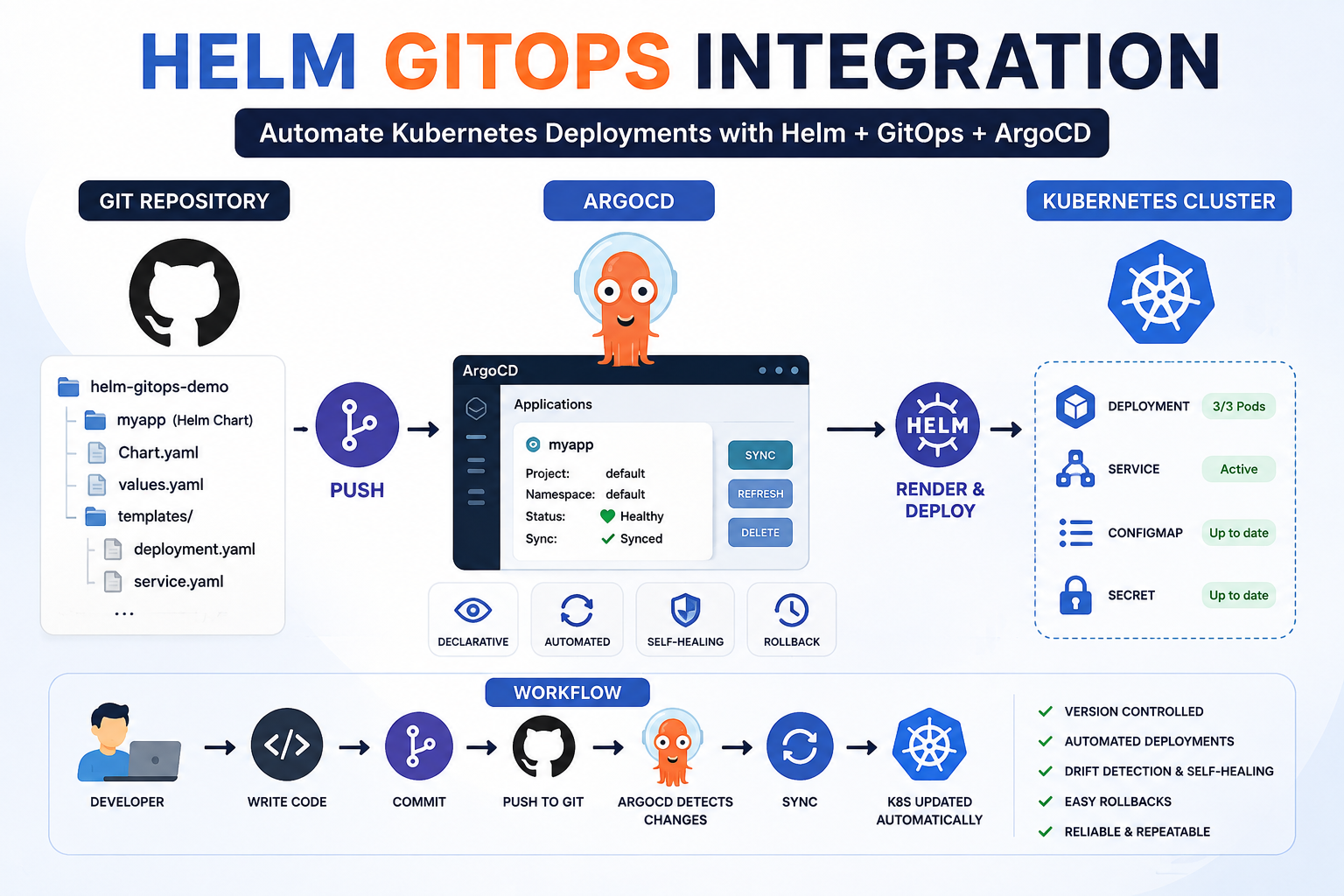
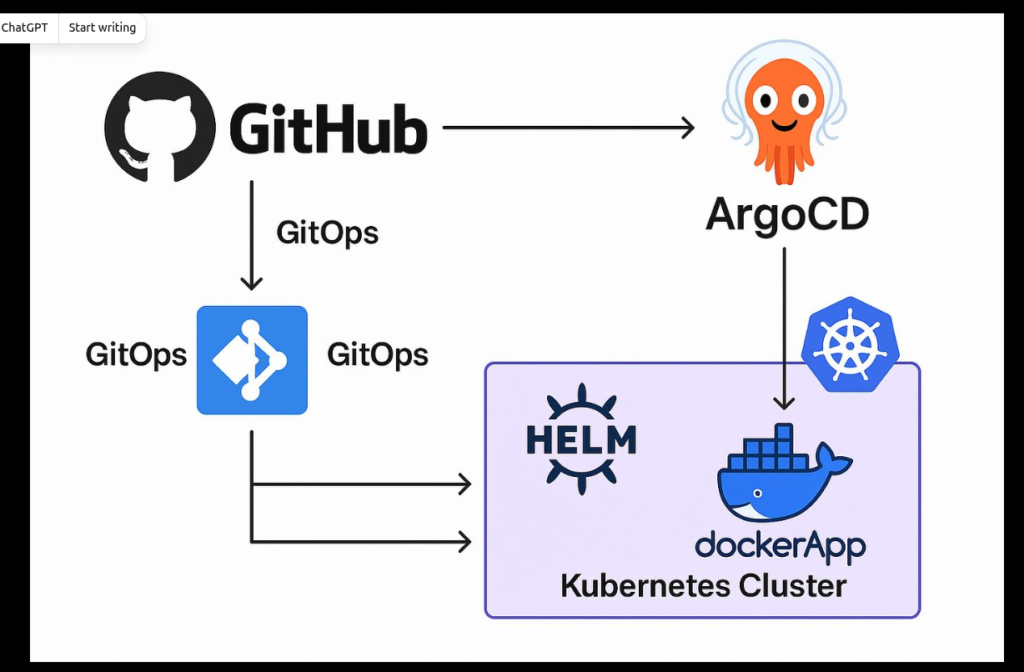
Helm GitOps Integration: Automating Kubernetes Deployments with ArgoCD
Introduction
Managing Kubernetes applications manually becomes increasingly difficult as your infrastructure grows. Updating YAML files, tracking versions, and ensuring consistency across environments can quickly become a challenge.
This is where Helm and GitOps work together.
- Helm simplifies Kubernetes application packaging and deployment.
- GitOps uses Git as the single source of truth for infrastructure and application deployments.
- ArgoCD continuously monitors your Git repository and automatically synchronizes changes to your Kubernetes cluster.
What is Helm?
Helm is the package manager for Kubernetes.
It allows you to:
- Package Kubernetes manifests into reusable Charts
- Manage application versions
- Deploy applications using a single command
- Customize deployments using values.yaml
Benefits
- Easy deployment
- Version control
- Rollback support
- Parameterized configuration
- Reusable templates
What is GitOps?
GitOps is an operational framework where Git acts as the source of truth.
Instead of manually applying YAML files,
Developers:
Modify Code
      ↓
Push to GitHub
      ↓
ArgoCD Detects Changes
      ↓
Deploys to Kubernetes
Everything is version-controlled inside Git.
Why Integrate Helm with GitOps?
Without GitOps
Developer
     ↓
kubectl apply
     ↓
Kubernetes
With Helm GitOps
Developer
      ↓
GitHub Repository
      ↓
ArgoCD
      ↓
Helm Chart
      ↓
Kubernetes Cluster
Advantages
- Fully automated deployment
- Version controlled
- Easy rollback
- Self-healing
- Continuous synchronization
Tool	Version
Ubuntu	22.04/24.04
Docker	Latest
Minikube	Latest
kubectl	Latest
Helm	v3+
Git	Latest
GitHub Account	Required
ArgoCD	Installed
Architecture
                 Developer

                     │

              Git Push (Chart)

                     │

               GitHub Repository

                     │

              ArgoCD Watches Git

                     │

             Pull Latest Changes

                     │

                 Helm Chart

                     │

             Kubernetes Cluster

                     │

             Running Application
Step 1: Start Kubernetes Cluster
minikube start
Step 2: Install Helm
Verify installation
helm versionExpected Output
version.BuildInfoStep 3: Create Helm Chart
Generate chart
helm create myappProject structure
myapp/

├── Chart.yaml

├── values.yaml

├── charts/

└── templates/

    ├── deployment.yaml

    ├── service.yaml

    ├── ingress.yaml

    ├── serviceaccount.yaml

    ├── hpa.yaml

    └── _helpers.tpl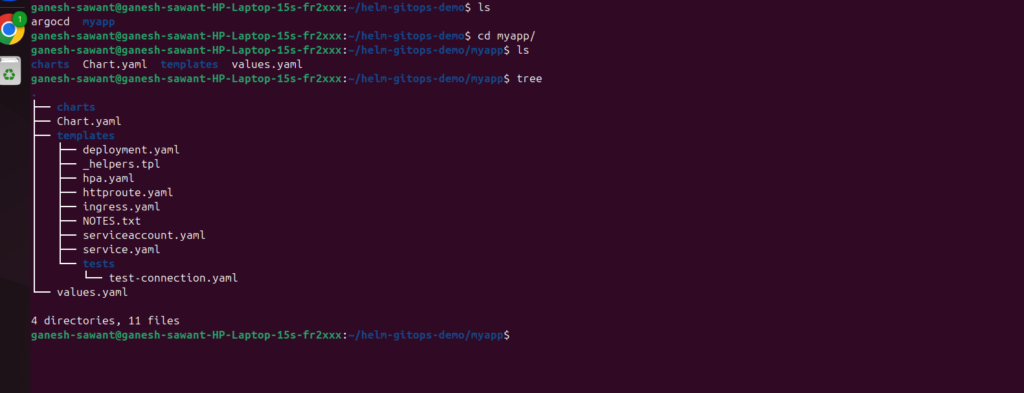
Step 4: Modify values.yaml
Example
replicaCount: 2

image:
  repository: pramila188/testhello
  tag: latest

service:
  type: NodePort
  port: 80

containerPort: 8080
Step 5: Verify Helm Chart
helm lint myapp
Step 6: Test Render Templates
helm template myappThis command generates Kubernetes YAML without deploying it.
Step 7: Create GitHub Repository
Example
helm-gitops-demoRepository structure
helm-gitops-demo/

├── myapp

│   ├── Chart.yaml

│   ├── values.yaml

│   └── templates

└── README.md
Step 8: Push Chart to GitHub
Initialize Git
git init
Add files
git add .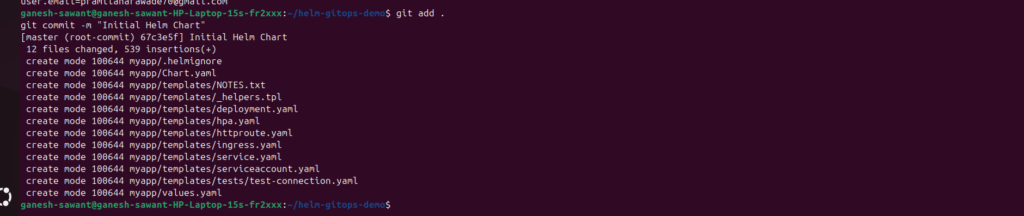
Commit
git commit -m "Initial Helm Chart"Push
git branch -M main

git remote add origin https://github.com/username/helm-gitops-demo.git

git push -u origin main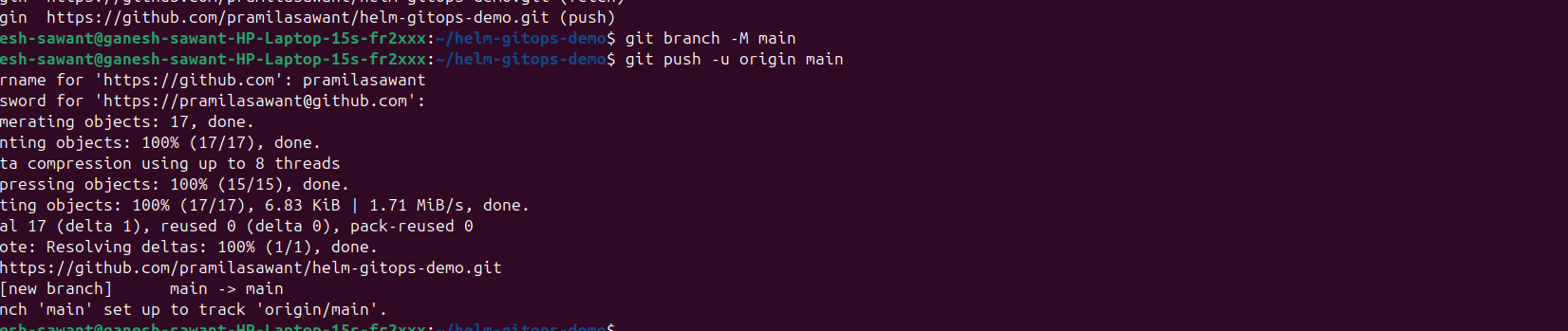
Step 9: Install ArgoCD
Create namespace
kubectl create namespace argocdInstall
kubectl apply -n argocd \
-f https://raw.githubusercontent.com/argoproj/argo-cd/stable/manifests/install.yaml
Check pods
kubectl get pods -n argocdStep 10: Access ArgoCD UI
Port forward
kubectl port-forward svc/argocd-server -n argocd 9999:443Open browser
https://localhost:9999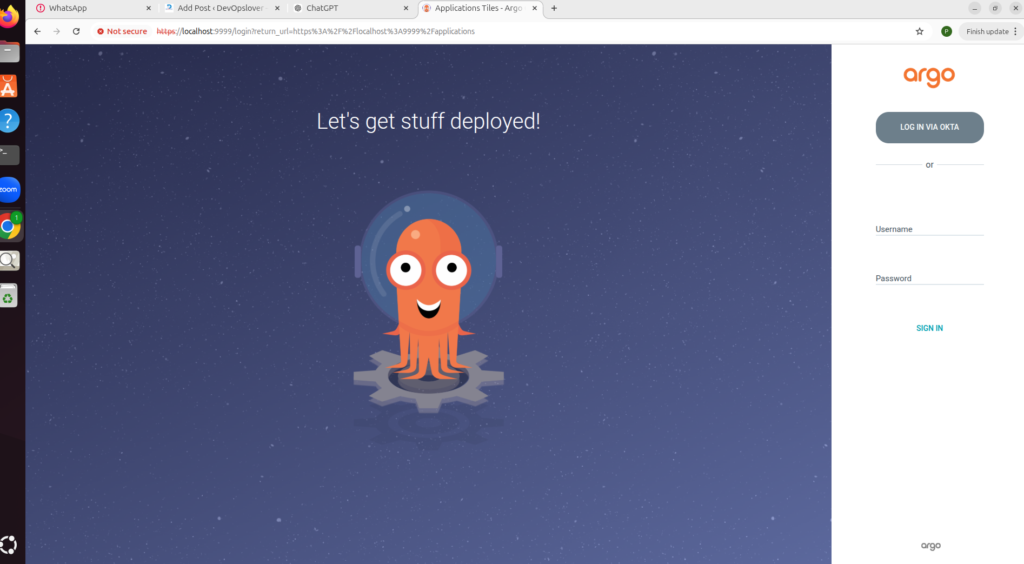
Step 11: Get Initial Password
kubectl \
-n argocd \
get secret argocd-initial-admin-secret \
-o jsonpath="{.data.password}" | base64 -d
Username
adminPassword
Generated passwordStep 12: Login Using CLI
argocd login localhost:8080Verify
argocd versionStep 13: Create Application
argocd app create myapp \
--repo https://github.com/username/helm-gitops-demo.git \
--path myapp \
--dest-server https://kubernetes.default.svc \
--dest-namespace default
Step 14: Sync Application
argocd app sync myappOutput
Application Synced SuccessfullyStep 15: Verify Deployment
kubectl get pods
kubectl get svc
kubectl get deployment
Step 16: Access Application
If using NodePort
minikube service myappApplication opens in browser.
Step 17: Make Changes
Update
replicaCount: 3Commit
git add .

git commit -m "Increase replicas"

git push
Step 18: Automatic Deployment
ArgoCD detects
Git Change
      ↓
Fetch Repository
      ↓
Compare Cluster
      ↓
Deploy Changes
Step 19: Verify New Replica Count
kubectl get deploymentStep 20: Rollback Using Git
Revert commit
git revert HEADPush
git pushArgoCD automatically rolls back.
Folder Structure
helm-gitops-demo/

├── myapp/

│   ├── Chart.yaml

│   ├── values.yaml

│   ├── templates/

│   │      deployment.yaml

│   │      service.yaml

│   │      ingress.yaml

│   │      hpa.yaml

│   │      serviceaccount.yaml

│   │      _helpers.tpl

│   └── charts/

└── README.md
Complete Workflow
Developer

    │

Edit Helm Chart

    │

Git Commit

    │

Git Push

    │

GitHub

    │

ArgoCD Detects

    │

Sync Starts

    │

Helm Templates Render

    │

Kubernetes Updated

    │

Application Running
Advantages of Helm + GitOps
| Helm | GitOps |
|---|---|
| Package Manager | Deployment Strategy |
| Templates | Version Control |
| Reusable Charts | Automated Deployments |
| Easy Upgrades | Continuous Sync |
| Rollbacks | Self Healing |
| Environment Configurations | Audit Trail |
Conclusion
Helm and GitOps together provide a powerful, automated, and reliable deployment workflow for Kubernetes applications. By storing Helm charts in Git and allowing ArgoCD to continuously monitor and synchronize changes, teams can eliminate manual deployments, improve consistency, and simplify rollbacks.
Key takeaways:
- Helm packages and templates Kubernetes resources into reusable charts.
- Git becomes the single source of truth for application deployments.
- ArgoCD automatically detects Git changes and synchronizes them to the cluster.
- Every deployment is version-controlled, auditable, and repeatable.
- Rollbacks are as simple as reverting a Git commit.
- Auto-sync and self-healing reduce manual operational effort.
- This approach supports scalable, secure, and consistent Kubernetes deployments across multiple environments.
- Helm + GitOps is a recommended practice for modern cloud-native DevOps teams.

- Trivy Docker Vulnerability Scanning – Complete Guide - October 14, 2026
- How to Create a Server on AWS – Step-by-Step Guide for Beginners - September 2, 2026
- Helm GitOps Integration: A Complete Step-by-Step Guide for Beginners - August 6, 2026