
Introduction:
Jenkins Okta Integration enables centralized authentication using Okta’s Single Sign-On (SSO). Instead of maintaining separate Jenkins user accounts, organizations can authenticate users through Okta, improving security and simplifying user management.
By integrating Jenkins with Okta using OpenID Connect (OIDC), users can securely access Jenkins with their corporate credentials while administrators manage authentication policies from a single location.
Prerequisites:
- Jenkins Server installed and running
- Administrator access to Jenkins
- Administrator access to Okta
- HTTPS enabled on Jenkins (recommended)
- Internet connectivity between Jenkins and Okta
Architecture:
User
  |
  v
Okta Login Page
  |
  v
Authentication
  |
  v
Jenkins Dashboard
Step 1: Install Required Jenkins Plugin
Login to Jenkins.
Navigate to:
Manage Jenkins
   →
Manage Plugins
Search for:
OpenID Connect Authentication Plugin
Install:
OpenID Connect Authentication Plugin
Restart Jenkins after installation.
Step 2: Create Application in Okta
Login to:
Okta Admin Console
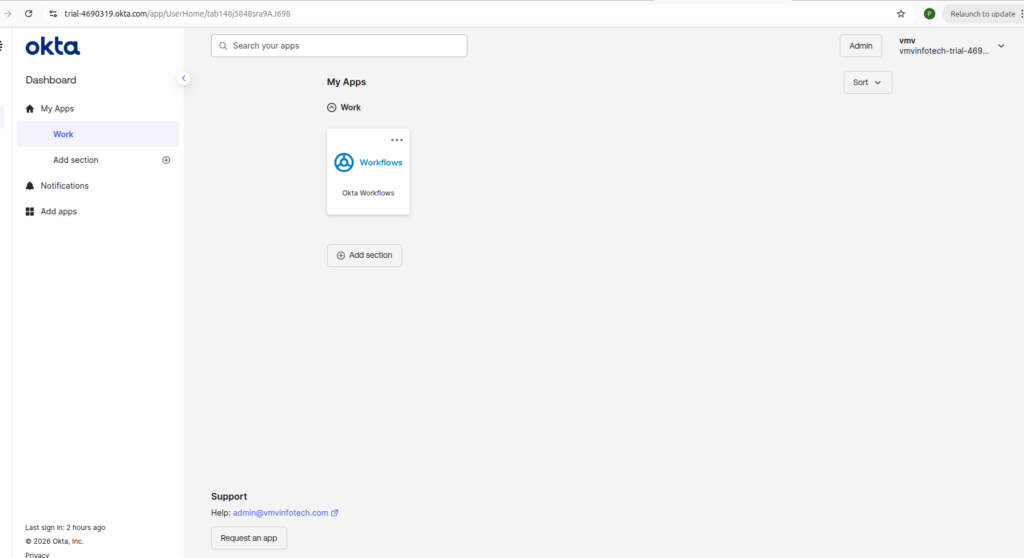
Navigate to:
Applications
   →
Applications
   →
Create App Integration
Select:
OIDC - OpenID Connect
Click:
Next
Step 3: Configure Application
Select:
Web Application
Fill details:
App Name:
jenkins
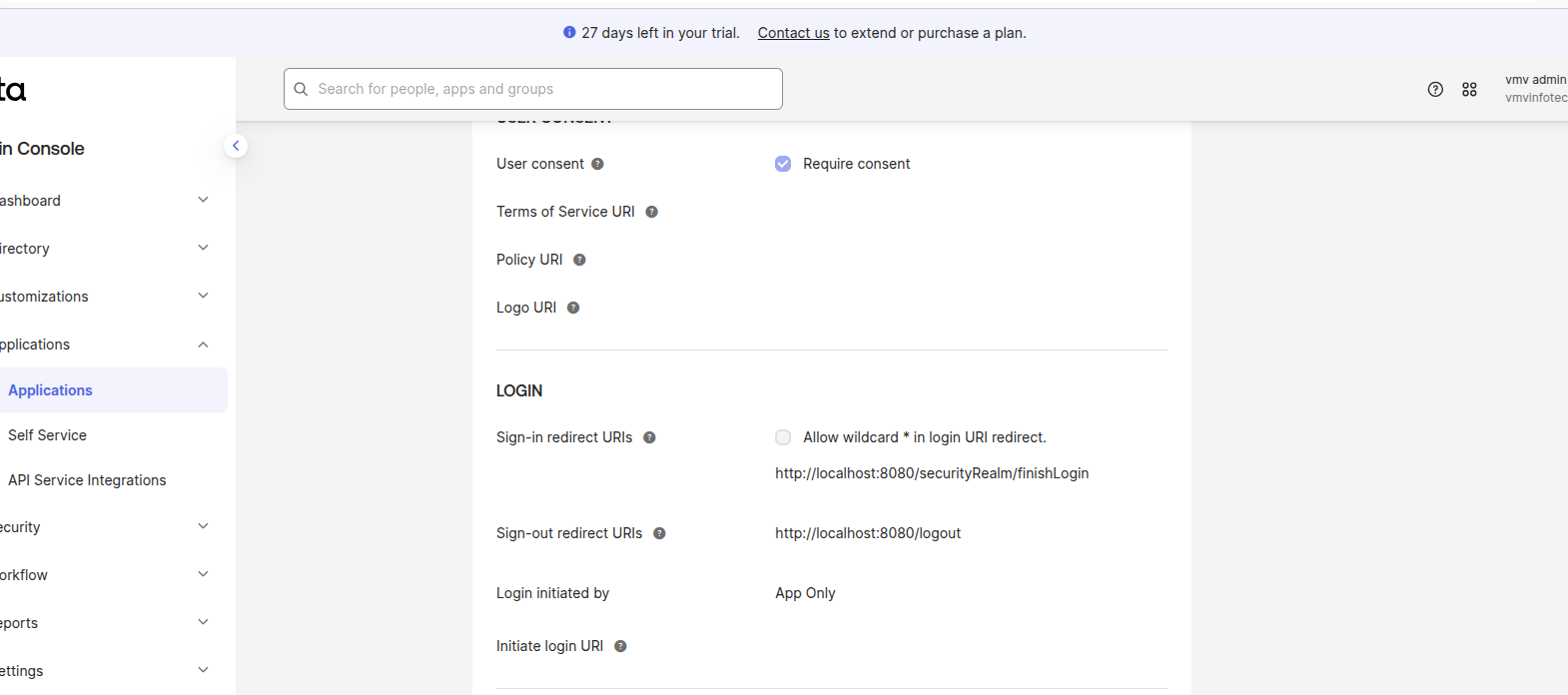
Sign-in Redirect URI:
http://localhost:8080/securityRealm/finishLogin
Sign-out Redirect URI
http://localhost:8080/logout
Click:
Save
Step 4: Collect Okta Credentials
After application creation, note:
Client ID
Client Secret
Issuer URL
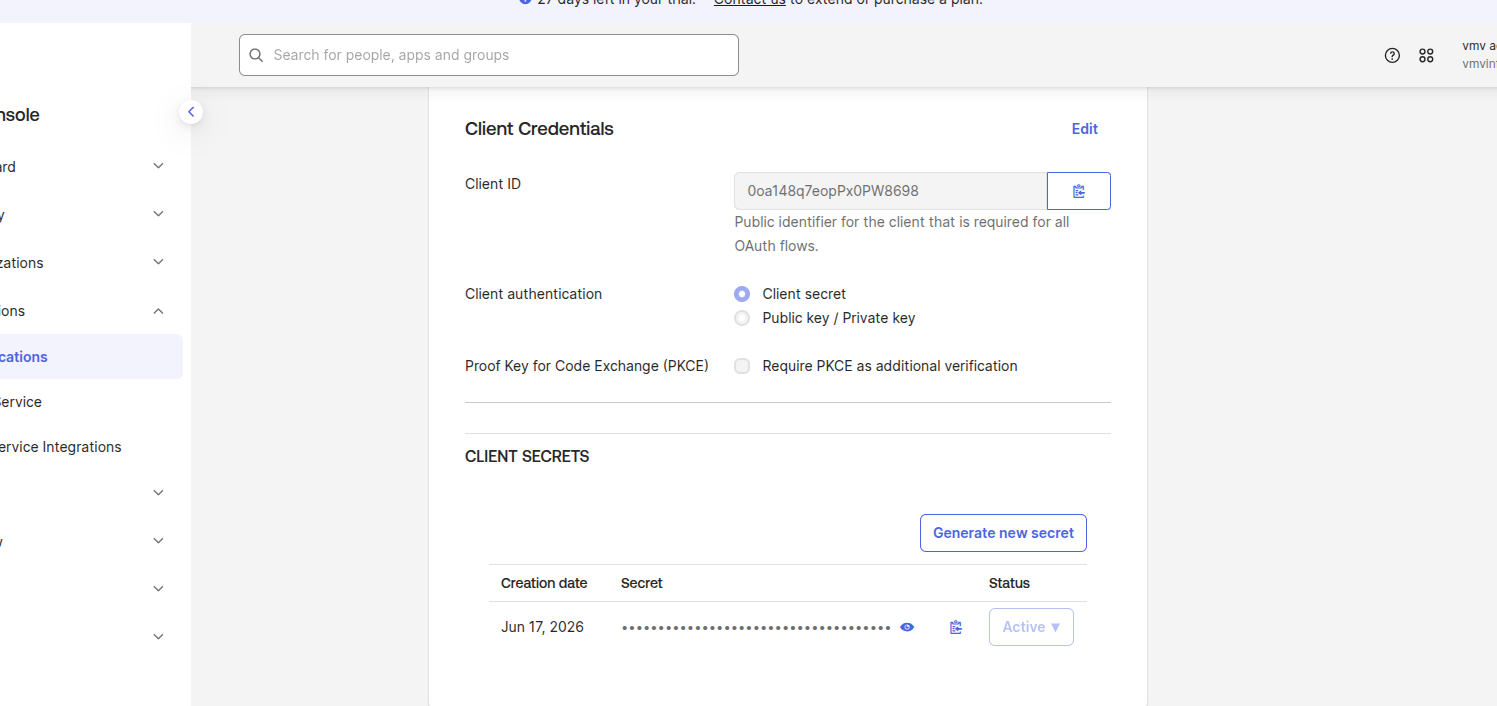
These values will be required in Jenkins.
Step 5: Configure Jenkins Security
Navigate:
Manage Jenkins
   →
Security
   →
Security Realm
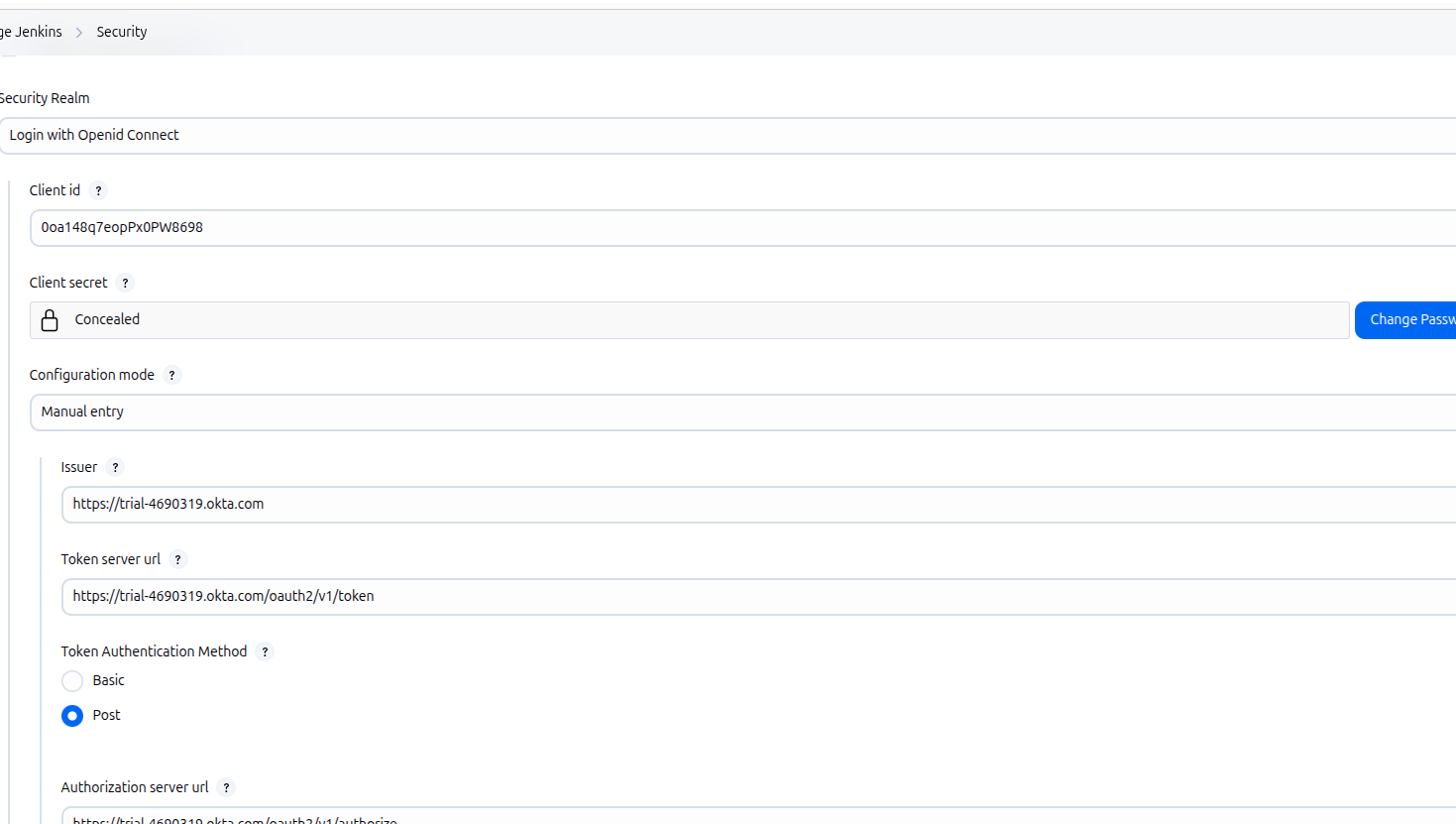
Select:
Login with OpenID Connect
Fill:
Client ID
Client Secret
Well Known OpenID Configuration URL
User Name Field:
preferred_username
Full Name Field:
name
Email Field:
Save configuration.
Step 6: Configure Authorization
Logout jenkins
Browser me:
http://localhost:8080/logout
http://localhost:8080/securityRealm/commenceLogin
Step 7: Test Login
open incognato mode in browzer:
Open Jenkins:
localhost:8080
You should see:
Login with Okta
You will be redirected to Okta:
Username
Password
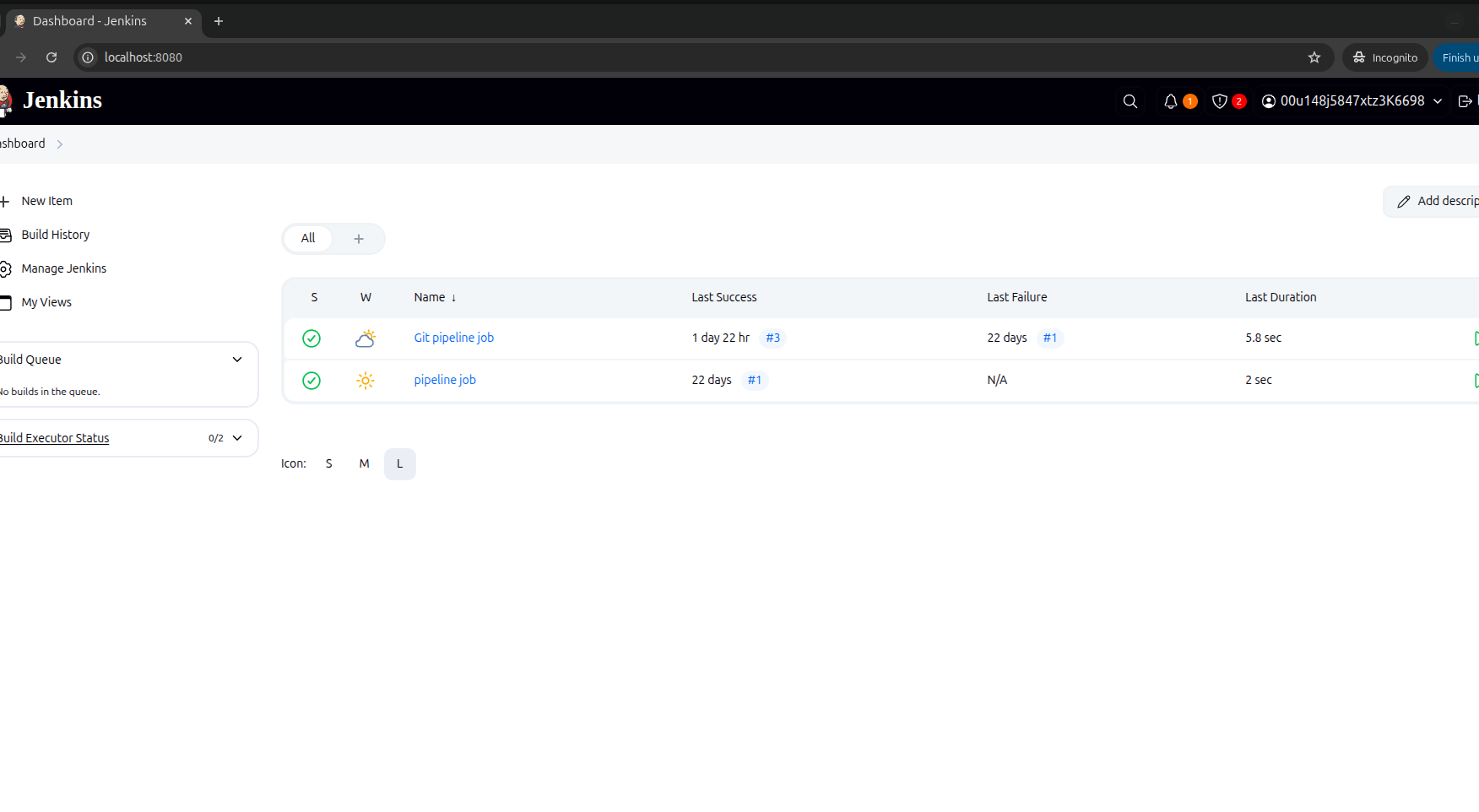
After successful authentication:
Jenkins Dashboard Appears.
Benefits of Jenkins Okta Integration:
- Single Sign-On (SSO)
- Centralized identity management
- Improved security
- Multi-Factor Authentication (MFA) support
- Simplified user onboarding and offboarding
- Reduced password management
- Better compliance and auditing
Conclusion:
Jenkins Okta Integration simplifies authentication by enabling secure Single Sign-On (SSO) with centralized identity management. Using OpenID Connect (OIDC), organizations can allow users to log in with their Okta credentials while benefiting from features such as Multi-Factor Authentication (MFA), group-based access control, and streamlined user administration. Following the steps in this guide helps improve security, reduce administrative overhead, and provide a seamless login experience for Jenkins users.
Why Jenkins Okta Integration is Important
Jenkins Okta Integration helps organizations centralize user authentication and improve security by allowing users to sign in with their existing Okta credentials. Instead of creating and managing separate Jenkins user accounts, administrators can control access from a single identity provider. This reduces administrative effort and minimizes the risk of unauthorized access.
Another major advantage is support for Single Sign-On (SSO). Users only need to authenticate once with Okta to access Jenkins securely, improving the overall user experience. Organizations can also enforce security policies such as Multi-Factor Authentication (MFA), password complexity, and conditional access without making changes to Jenkins itself.
As teams grow, managing users becomes easier because administrators can assign or revoke Jenkins access directly through Okta groups. This ensures consistent access control across multiple applications while simplifying onboarding and offboarding processes.How
How Jenkins Authentication Works with Okta:
When a user opens the Jenkins login page, Jenkins redirects the user to the Okta authentication portal. The user enters their Okta credentials, and Okta validates the identity. If authentication is successful, Okta generates an authorization response and sends it back to Jenkins using the OpenID Connect (OIDC) protocol.
Jenkins then verifies the authentication token and grants access based on the configured authorization strategy. The user is redirected to the Jenkins dashboard without creating or maintaining a separate Jenkins password. This authentication flow is secure, standardized, and widely adopted by enterprise organizations.

- Trivy Docker Vulnerability Scanning – Complete Guide - October 14, 2026
- How to Create a Server on AWS – Step-by-Step Guide for Beginners - September 2, 2026
- Helm GitOps Integration: A Complete Step-by-Step Guide for Beginners - August 6, 2026