
Learn Claude MCP Setup with this complete guide. Understand what Model Context Protocol (MCP) is, how Claude connects to GitHub, databases, files, APIs, and how to install and configure MCP servers.


What is MCP in Claude?
MCP = Model Context Protocol
It helps Anthropic’s Claude connect with:
- GitHub
- Slack
- Databases
- Local files
- Browsers
- APIs
- DevOps tools
- External applications
Think of MCP like:
“USB-C for AI tools”
Claude can directly use connected tools instead of only chatting.
How Claude + MCP Works:


Architecture:
Claude (Host)
     ↓
MCP Client
     ↓
MCP Server
     ↓
External Tool/API
Example:
- Claude → GitHub MCP → Create PR
- Claude → Browser MCP → Open website
- Claude → Filesystem MCP → Read files
- Claude → PostgreSQL MCP → Query database
Requirements :
Before setup install:
| Tool | Purpose |
|---|---|
| Claude Desktop OR Claude Code | Main AI tool |
| Node.js | Run MCP servers |
| Python (optional) | Python-based MCP servers |
| Internet connection | Tool access |
Step 1 — Install Claude Desktop
- Open browser
- Visit Claude AI Official Website
- Sign up/login
- login with email id
Step 2: Login to Claude
Run:
claude
It will open browser authentication.
Step 3: Install MCP Server
Example 1 — Filesystem MCP
This lets Claude access local files.
Install:
claude mcp add filesystem -- npx -y @modelcontextprotocol/server-filesystem ~/Desktop
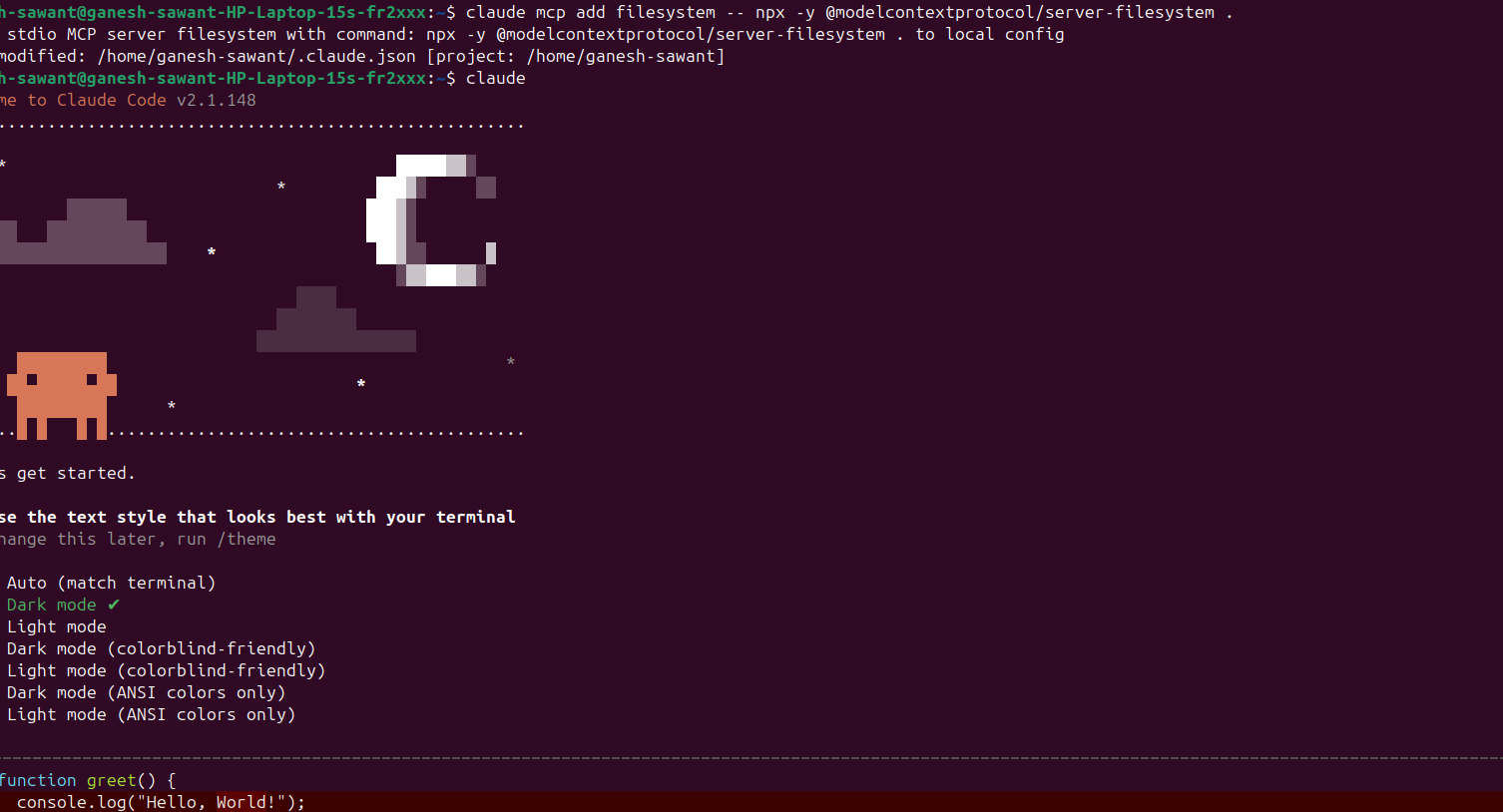
Now Claude can:
- Read files
- Create files
- Modify files
Example 2 — GitHub MCP
claude mcp add github \
  --env GITHUB_TOKEN=your_token \
  -- npx -y @modelcontextprotocol/server-github
Claude can now:
- Create PRs
- Read repos
- Check issues
- Commit code
Step 4: Verify MCP Servers
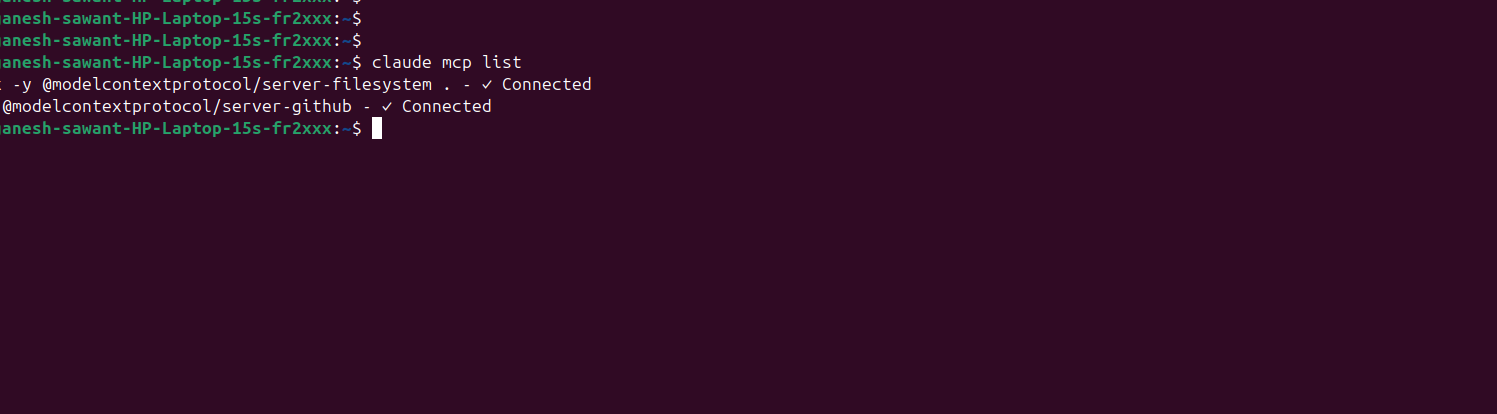
List MCP servers:
claude mcp list
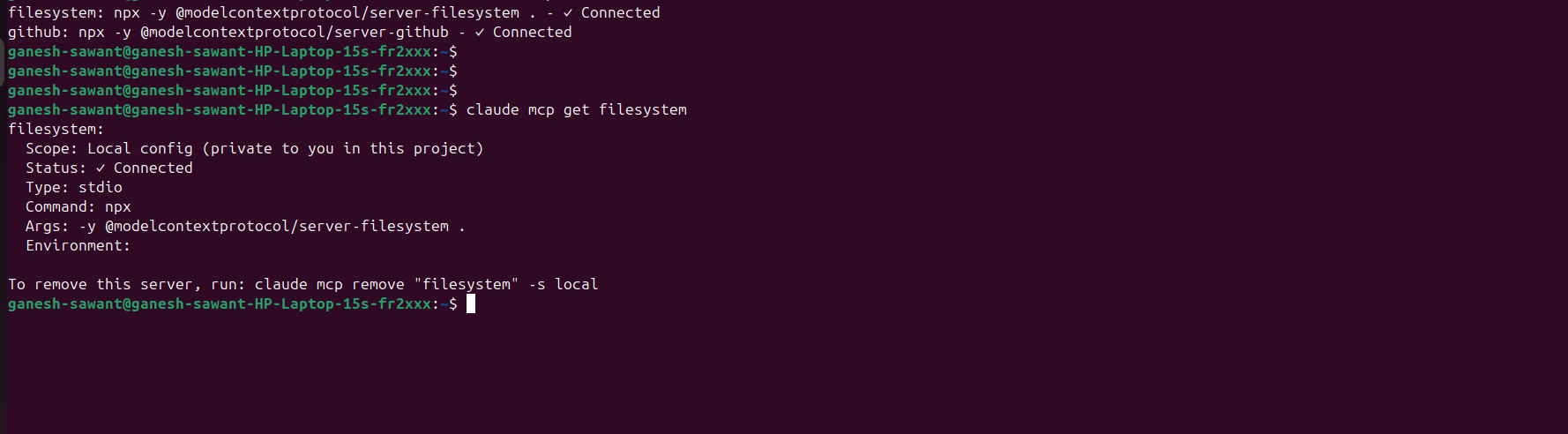
Get details:
claude mcp get filesystem
Remove server:
claude mcp remove filesystem
Step 5: Start Using Claude with MCP
Run:
claude
Now ask prompts like:
Check GitHub PR status
Read file etc…
all other commands….
MCP Architecture
Claude Code
     │
     ▼
MCP Client
     │
     ▼
MCP Server
     │
     ▼
External Tool/API

Admin at DevOpsLover.com
Mahesh Wabale is the admin & author of this blog, Technology enthusiast with interest in DevOps, CICD, Spring Boot, Microservices Architecture He has more than 7 years of experience in IT industry, programming language and development stuff. He loves to share his experience with his blog.
Latest posts by Mahesh Wabale (see all)
- How to Create a Server on AWS – Step-by-Step Guide for Beginners - September 2, 2026
- Helm GitOps Integration: A Complete Step-by-Step Guide for Beginners - August 6, 2026
- DevOps Engineer vs Platform Engineer vs Site Reliability Engineer (SRE) - August 4, 2026