
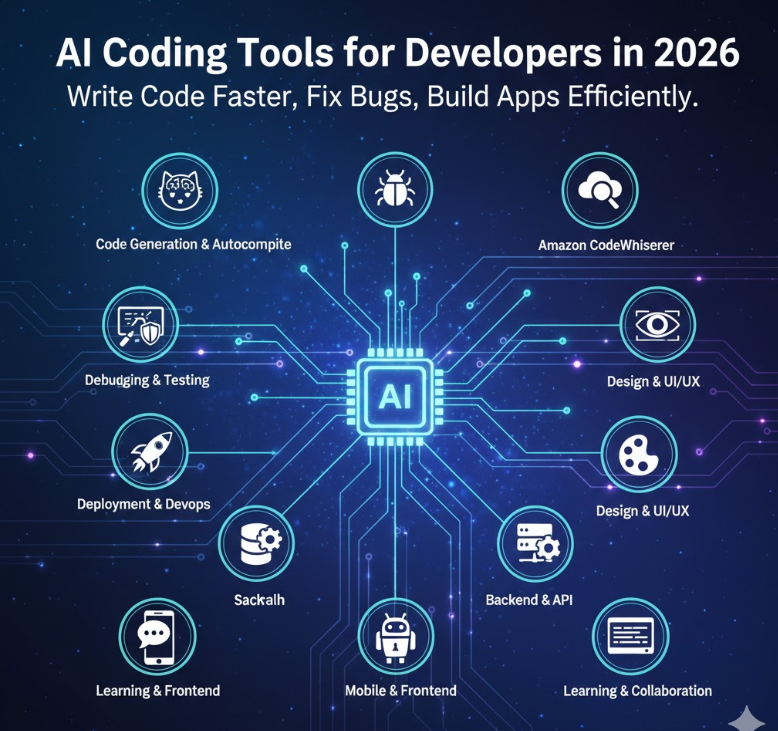
Discover the best AI tools for developers in 2026. These AI tools for developers help you write code faster, fix bugs, improve productivity, and build applications efficiently.
Introduction
AI tools are changing the way developers write code and build applications. In 2026, AI is not just a trend — it has become an important part of modern software development.
With the help of AI tools, developers can:
- Write code faster
- Find and fix bugs quickly
- Build full applications in less time
- Improve productivity and efficiency
Whether you are a beginner or an experienced developer, these AI tools can help you work smarter and save time.
Table of Contents
- Why AI Tools Matter for Developers
- AI Tools for Code Generation and Autocomplete
- AI Tools for Debugging and Testing
- AI Tools for Documentation and Code Explanation
- AI Tools for Design and UI/UX
- AI Tools for Deployment and DevOps
- AI Tools for API and Backend Development
- AI Tools for Mobile and Frontend Development
- AI Tools for Learning and Collaboration
- Emerging AI Tools to Watch in 2026
- How to Choose the Right AI Tools
- Pricing Comparison
- Pro Tips for Using AI Tools
- Conclusion
Why AI Tools for Developers Matter
AI tools are not replacing developers — they are helping developers work better and faster.
Benefits of AI for Developers
- Higher Productivity: Tools like GitHub Copilot can generate a large part of your code automatically.
- Fewer Bugs: AI can detect mistakes and suggest fixes.
- Faster Prototyping: Build working applications quickly.
- Better Learning: AI explains complex code and concepts instantly.
The AI developer tools market is growing very fast and is expected to reach billions of dollars in the coming years. Learning these tools now will give you a big advantage.
Best AI Tools for Developers for Code Generation and Autocomplete
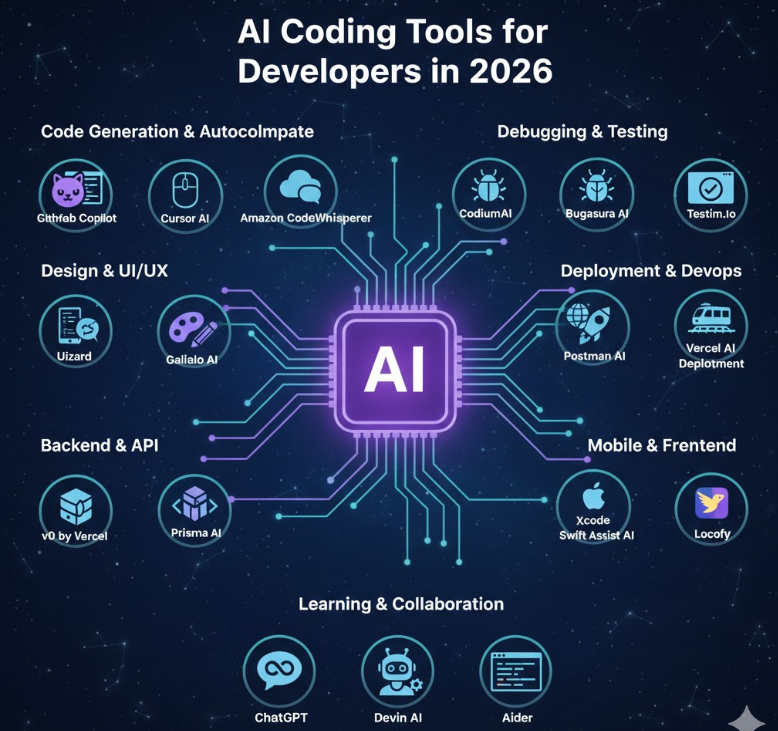
1. GitHub Copilot (Most Popular)
GitHub Copilot works like an AI pair programmer.
Features:
- Suggests full functions and code blocks
- Supports 100+ programming languages
- Works inside VS Code, JetBrains, and other editors
- Chat feature to explain code
Code Example:
javascript// You type:"Create a REST API for users"
copilot generates:
app.get('/api/users', async (req, res) => {
try {
const users = await User.findAll();
res.json(users);
} catch (error) {
res.status(500).json({ error: error.message });
}
});
Pricing: $10/mo individual, $19/user/mo business
Best for: Full-stack devs, teams
2. Cursor AI
Cursor is a full IDE built around AI.
Key Features:
- Generate complete applications from prompts
- Edit entire codebase at once
- Understands project context
Pro Example:
textPrompt: "Convert this React app to Next.js 15 with App Router"
Cursor rewrites entire project structure in 2 minutes.
Pricing: Free tier, Pro $20/mo
3. Amazon CodeWhisperer
This tool is designed especially for AWS developers.
Features:
- Smart code suggestions
- Security scanning
- Best for serverless and cloud projects
Pricing: Free for individuals
4. Tabnine
Tabnine focuses on privacy.
Features:
- Runs locally on your machine
- Good for companies with sensitive code
AI Tools for Developers for Debugging and Testing
5. CodiumAI
Automatically generates test cases for your code.
Benefits:
- Covers edge cases
- Improves test coverage
- Helps write better quality code
6. Bugasura AI
Finds bugs in real time and explains why the error happened.
7. Testim.io
AI-based visual testing tool.
Features:
- Automatic test creation
- Self-healing tests when UI changes
- Best for React and Vue applications
AI Tools for Developers for Documentation and Explanation
8. Mintlify
Generates documentation automatically from your code.
Use Case:
- Create API documentation
- Auto-update README files
9. Bito AI
Explains complex code in simple English.
10. Sourcegraph Cody
Allows you to ask questions about your entire codebase.
Example:
“Where is user authentication implemented?”
AI Tools for Developers for Design and UI/UX
11. Uizard
Convert designs into working code.
Workflow:
- Upload design or wireframe
- AI generates UI code
12. Galileo AI
Create UI designs using text prompts.
Example:
“Create a modern dashboard layout”
13. v0 by Vercel
Generate ready-to-use React and Tailwind components.
AI Tools for Developers for Deployment and DevOps
14. Replit Agent
Generate and deploy full applications from a simple prompt.
15. Railway AI
Automatically scales your application based on traffic.
16. Vercel AI Deployment
Analyzes your project and suggests performance improvements.
AI Tools for Developers for Backend and APIs
17. Postman AI
Automatically generate API tests and documentation.
18. Supabase AI
Backend with database and AI features like vector search.
19. Prisma AI
Helps with database schema design and query optimization.
AI Tools for Mobile and Frontend Development
20. Xcode Swift Assist
For iOS developers — smart autocomplete and previews.
21. FlutterFlow AI
Build Flutter apps without writing much code.
22. Locofy
Convert Figma designs into mobile applications.
AI Tools for Developers for Learning and Collaboration
23. ChatGPT
Helps with coding, debugging, learning, and project ideas.
24. Devin AI
An advanced AI software engineer that can plan and build projects automatically.
25. Aider
Terminal-based AI coding assistant with Git integration.
Emerging AI Tools to Watch in 2026
- Claude Developer Mode
- Gemini Code Assist
- Sourcegraph Zack
- Replicate AI Functions
- GroqCode (very fast AI processing)
These tools will become more powerful in the coming years.
How to Choose the Right AI Tools
Choose tools based on your role:
Frontend Developers: Cursor + Uizard + v0
Backend Developers: Copilot + CodiumAI + Supabase
Full Stack Developers: Copilot + Replit + Vercel
Mobile Developers: Swift Assist + FlutterFlow
DevOps Engineers: Railway + Postman AI
Also consider:
- Editor integration (VS Code, JetBrains)
- Framework support
- Budget
Pricing Comparison (Simple Guide)
Free Tools: CodeWhisperer, Mintlify, Replit (basic)
Affordable ($10–$20/month): Copilot, Cursor, CodiumAI
Enterprise Tools: Devin, Tabnine Enterprise
Start with free tools and upgrade later if needed.
Pro Tips for Using AI Tools
- Use multiple tools together for better results
- Write clear prompts for accurate output
- Always review AI-generated code
- Check security and performance
- Practice daily to improve your AI workflow
Using AI regularly can make you a much faster and more confident developer.
Conclusion
AI tools are becoming essential for developers in 2026. They help you write code faster, reduce bugs, improve design, and deploy applications easily.
If you are just starting, begin with:
- GitHub Copilot
- Cursor
- ChatGPT
Then add specialized tools based on your needs.
The future of development is not AI replacing developers — it is developers using AI to build faster and smarter.
Read more:
What is AI? Complete Guide

- Trivy Docker Vulnerability Scanning – Complete Guide - October 14, 2026
- How to Create a Server on AWS – Step-by-Step Guide for Beginners - September 2, 2026
- Helm GitOps Integration: A Complete Step-by-Step Guide for Beginners - August 6, 2026